
What your family would need first
Start with what can expire and what only one of you knows:
- insurance policies and contracts
- passports and IDs
- medical papers and vaccination records
- vehicle papers
- who to call first: the doctor, the insurer, the employer
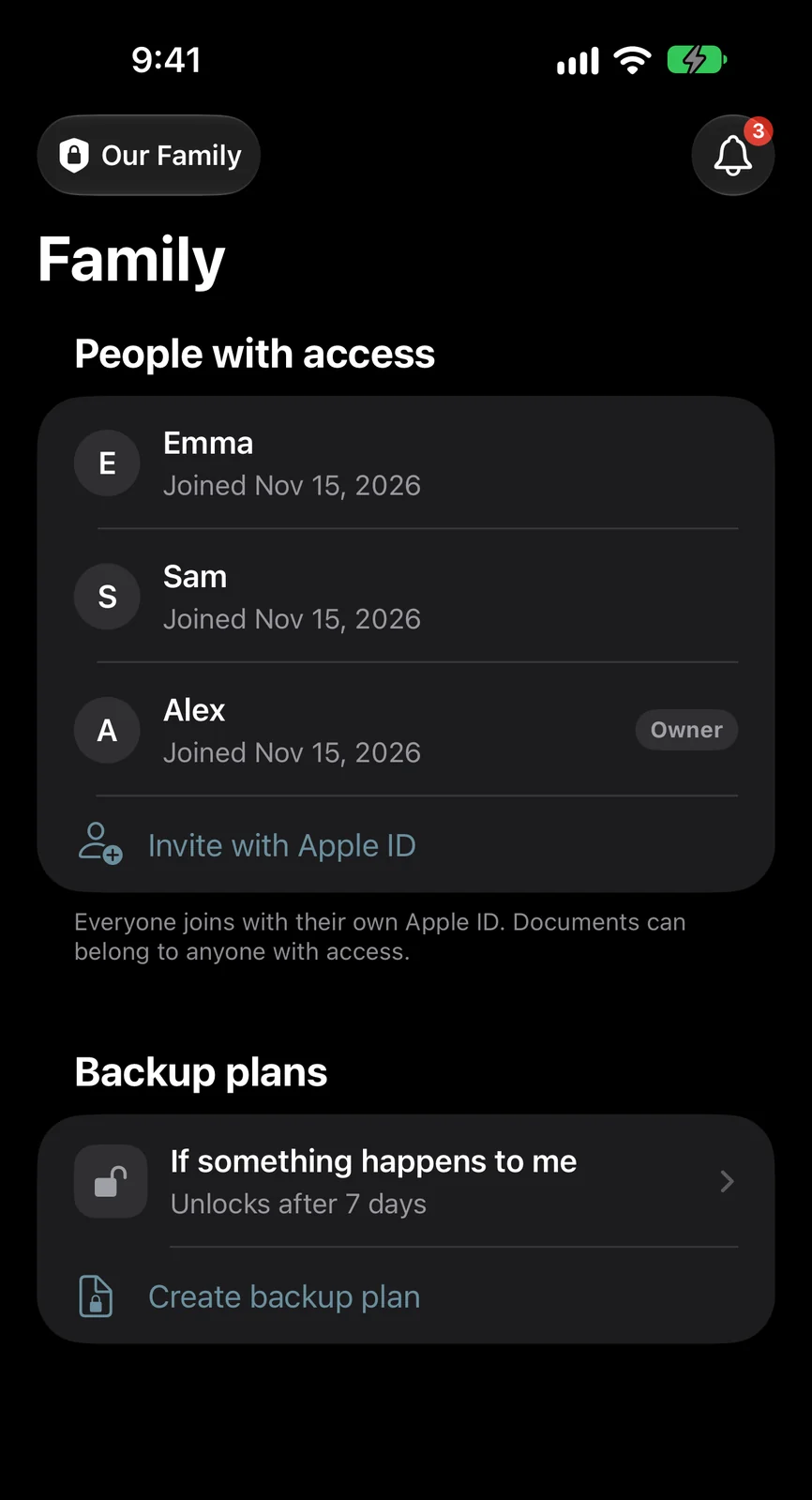
The documents go into a shared vault with a photo or PDF attached. Who to call and what has to happen first goes into a backup plan.
Shared documents open straight away
Documents in a shared vault are visible to everyone with access, each on their own iPhone or iPad with their own Apple ID. Nobody has to ask the person who remembers. Documents can belong to anyone with access to the vault. Inviting a partner is part of Lifetime.
What only you know goes into a backup plan
A backup plan holds instructions, contacts and linked documents. It stays hidden from everyone else in the app until it opens.
- A member of your vault requests access.
- You get a notification and can deny the request.
- Nothing opens for 48 hours, 7 days or 30 days, the delay you chose.
- If you did not answer, the plan unlocks for that one person.
What it is not
A backup plan is a time lock for people you already trust. It is not a will and does not replace legal advice. It runs on your family's own devices, without a server, and its contents are not encrypted on a member's device. Keep the paper originals somewhere safe as well, and set up Apple's Legacy Contact too.
Questions
What happens to a backup plan if I can't respond?
It unlocks for the person who asked, after the delay you chose: 48 hours, 7 days or 30 days. Until then you can deny the request.
Is a backup plan a will?
No. It is a time lock for people you already trust, not a legal document. It does not replace a will or legal advice.
Where is my data stored?
In your own iCloud account. The Safelop app has no server and no analytics. Shared vaults use Apple's iCloud sharing between the people you invite.